Table of Contents
ToggleThe Ultimate Guide to Website Testing in 2026
In today’s digital-first world, your website is often the first interaction customers have with your brand. A slow, broken, or poorly optimized website can cost you traffic, conversions, and revenue. That’s why website testing is a critical component of digital success.
This comprehensive 3000-word guide covers everything you need to know about website testing—types, tools, strategies, best practices, and future trends to help you build high-performing websites.
What is Website Testing?
Website testing is the process of evaluating a website’s functionality, usability, performance, and security to ensure it works as expected and delivers a seamless user experience.
Key Objectives:
- Identify bugs and errors
- Improve user experience (UX)
- Increase conversions
- Ensure compatibility
- Enhance performance
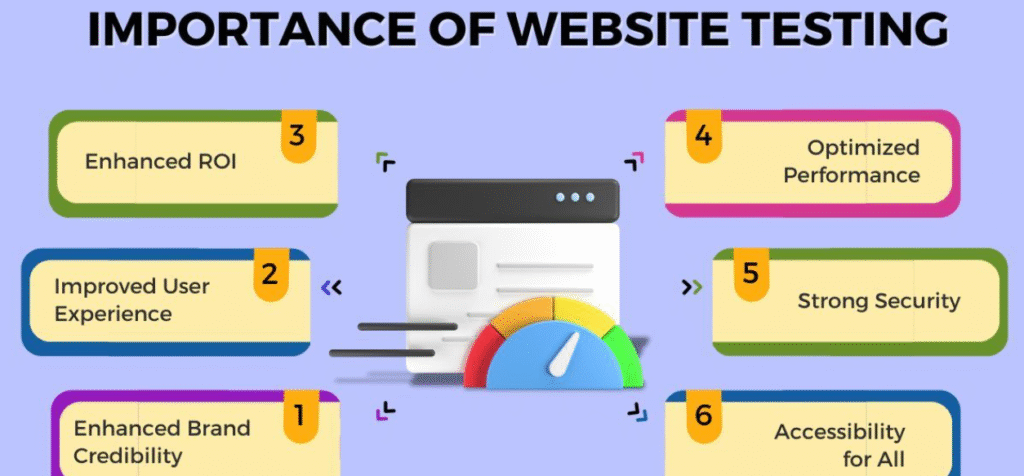
Why Website Testing is Important
1. Improves User Experience
A smooth and intuitive website keeps users engaged.
2. Increases Conversion Rates
Well-tested websites reduce friction and boost sales.
3. Enhances Performance
Fast-loading websites improve SEO and retention.
4. Prevents Revenue Loss
Fixing issues early avoids lost opportunities.
5. Builds Brand Credibility
A flawless website builds trust and professionalism.
Types of Website Testing
1. Functional Testing
Ensures all website features work correctly.
Examples:
- Forms submission
- Buttons and links
- Navigation menus
2. Usability Testing
Focuses on user experience and ease of use.
Key Areas:
- Navigation
- Layout
- Accessibility
3. Performance Testing
Measures website speed and responsiveness.
Metrics:
- Page load time
- Server response time
- Time to first byte (TTFB)
4. Compatibility Testing
Ensures the website works across:
- Browsers
- Devices
- Operating systems
5. Security Testing
Protects against vulnerabilities and threats.
Focus:
- Data protection
- Authentication
- Encryption
6. A/B Testing
Compares two versions of a webpage to determine which performs better.
7. Regression Testing
Ensures new updates don’t break existing functionality.
8. Mobile Testing
Optimizes performance on mobile devices.
Website Testing Methods
1. Manual Testing
Human testers evaluate the website.
Pros:
- Better understanding of user experience
Cons:
- Time-consuming
2. Automated Testing
Uses tools to run tests automatically.
Pros:
- Faster
- Scalable
Cons:
- Requires setup
3. Continuous Testing
Testing integrated into the development lifecycle.
Best Website Testing Tools
1. Google Analytics
Tracks user behavior and performance.
2. Google PageSpeed Insights
Analyzes website speed and performance.
3. GTmetrix
Provides detailed performance reports.
4. Hotjar
Offers heatmaps and session recordings.
5. Selenium
Used for automated testing.
6. BrowserStack
Tests across multiple browsers and devices.
7. Optimizely
Runs experiments to improve conversions.
Website Testing Process
Step 1: Define Objectives
Set clear goals for testing.
Step 2: Create Test Plan
Outline:
- Scope
- Tools
- Timeline
Step 3: Design Test Cases
Identify scenarios to test.
Step 4: Execute Tests
Run manual or automated tests.
Step 5: Analyze Results
Identify issues and improvements.
Step 6: Fix and Retest
Resolve problems and test again.
A/B Testing Strategy
What to Test:
- Headlines
- CTAs
- Images
- Layout
Best Practices:
- Test one element at a time
- Use sufficient sample size
- Run tests for adequate duration
Performance Testing Best Practices
- Optimize images
- Use caching
- Minimize code
- Use CDN (Content Delivery Network)
Mobile Website Testing
Key Areas:
- Responsive design
- Touch interactions
- Load speed
Website Testing for SEO
Testing helps improve rankings on Google.
Focus:
- Page speed
- Mobile friendliness
- Core Web Vitals
Common Website Testing Mistakes
1. Skipping Testing
Launching without testing leads to issues.
2. Ignoring Mobile Users
Mobile optimization is critical.
3. Not Testing Regularly
Continuous testing is essential.
4. Overlooking User Experience
Focus on real user behavior.
5. Poor Test Planning
Lack of structure leads to inefficiency.
Advanced Website Testing Techniques
1. AI-Powered Testing
Automates and improves testing accuracy.
2. Heatmap Analysis
Understand user behavior visually.
3. User Session Recording
Analyze real user interactions.
4. Load Testing
Simulate heavy traffic conditions.
5. Security Penetration Testing
Identify vulnerabilities.
Metrics to Track
- Bounce Rate
- Conversion Rate
- Page Load Time
- Error Rate
- User Engagement
Website Testing for E-Commerce
Key Areas:
- Checkout process
- Payment gateways
- Product pages
Website Testing for SaaS
Focus:
- User onboarding
- Feature functionality
- Performance
Future Trends in Website Testing
1. AI and Automation
Testing will become more intelligent and efficient.
2. Continuous Integration (CI/CD)
Testing integrated into development pipelines.
3. Voice and AI Testing
Optimizing for voice interfaces.
4. Real-Time Monitoring
Instant issue detection.
5. Personalization Testing
Tailored experiences for users.
Step-by-Step Website Testing Plan
Step 1: Audit Your Website
Identify existing issues.
Step 2: Set Goals
Define what you want to improve.
Step 3: Choose Tools
Use platforms like Hotjar.
Step 4: Run Tests
Execute testing strategies.
Step 5: Analyze Data
Understand results and insights.
Step 6: Optimize
Implement improvements.
Real-World Example
Scenario:
An e-commerce website wants to increase conversions.
Strategy:
- A/B testing
- Performance optimization
- UX improvements
Result:
- Faster load times
- Better user experience
- Higher conversion rates
Conclusion
Website testing is essential for delivering a high-quality user experience and maximizing conversions. By implementing structured testing strategies, businesses can identify issues, optimize performance, and achieve better results.